Machai MCP Server 1.4.1 API
Machai MCP Server
Machai MCP Server is a server implementation for the Model Context Protocol (MCP) using the Machai AI framework. It integrates GenAI tools and supports HTTP and standard-input/standard-output (STDIO) interfaces for AI-powered tool execution and orchestration. The server does not publish tools of its own; applications supply functional-tool and prompt libraries to expose their capabilities through MCP.
Machai MCP Server supports all types of project files, including source code, documentation, project site content, and other relevant files. The configured project directory is passed to invoked tools so that they can operate on project content appropriate to their implementation.
Architecture and operation
The synchronous server runtime loads configured function definitions,
optionally filters them with the enabledTools configuration
property, and registers their MCP capabilities. GenAI adapters convert
parameter descriptors to JSON Schema, create transport-specific MCP
specifications, and invoke tools with request arguments, the project
directory, and the configurator. When an active session is available, its
identifier is also passed to the invoked tool. Prompt adapters register
prompts and convert function results into MCP prompt messages.
The command-line entry point starts the STDIO server by default. The
-n/--name, -v/--version, and
-d/--projectDir options provide server metadata and tool
context; -c/--config selects a properties file. Supplying
-p/--port starts the stateless HTTP server, while
-s/--session selects the streamable HTTP server. Shared
infrastructure owns project and tool-filtering configuration; the HTTP
base class configures Jetty and its MCP transport servlet. STDIO
advertises tools, prompts, and logging; stateless HTTP additionally
advertises resources; and streamable HTTP advertises tools and prompts.
The stateless HTTP resource adapter passes the project directory, the configurator, and the requested resource URI to resource functions. HTTP startup failures are reported through the server startup exception, and the STDIO implementation installs a JVM shutdown hook to close its built synchronous server.
Principal types and relationships
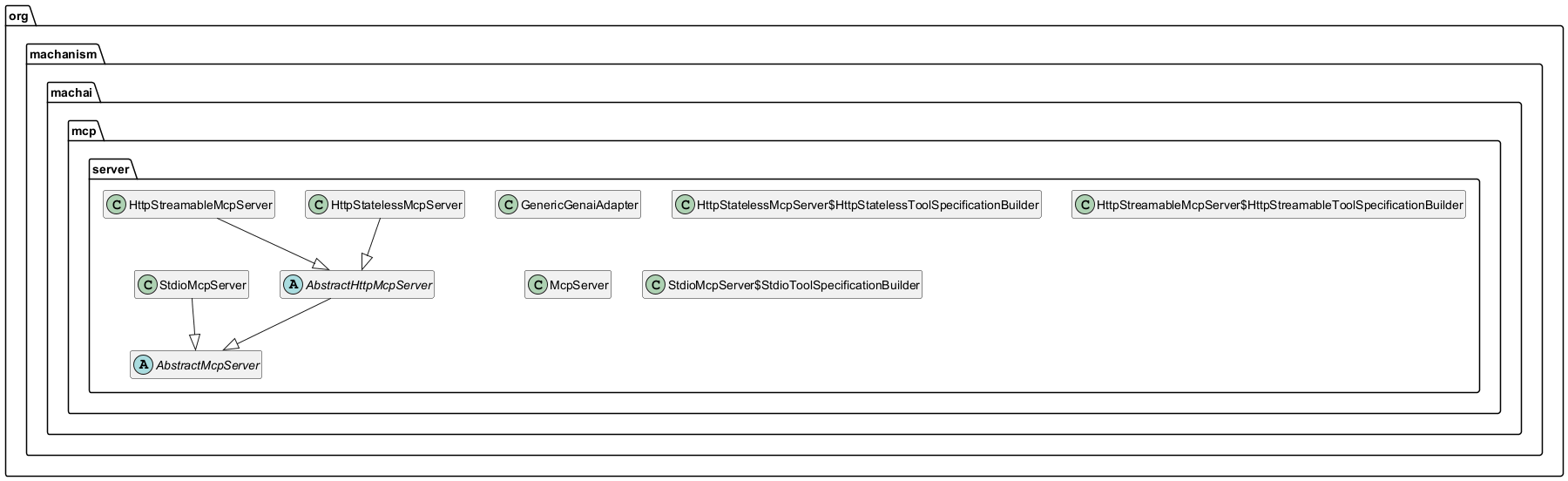
The following diagram shows the shared MCP server base classes, the STDIO, stateless HTTP, and streamable HTTP server implementations, and the GenAI and prompt adapters that bind configured Machai functions to each transport.
Packages
- org.machanism.machai.mcp.server
- Provides the synchronous MCP runtime, command-line launcher, STDIO, stateless HTTP, and streamable HTTP transports, plus GenAI and prompt adapters that expose configured Machai tools, prompts, and supported resource handlers through MCP.